
Every scout's report, up to your standard.
Set your scouting form once, and every scout checks the same pests and answers the same questions. You review each report before it goes out, and every grower gets the same clean PDF with your logo, whoever walked the field.
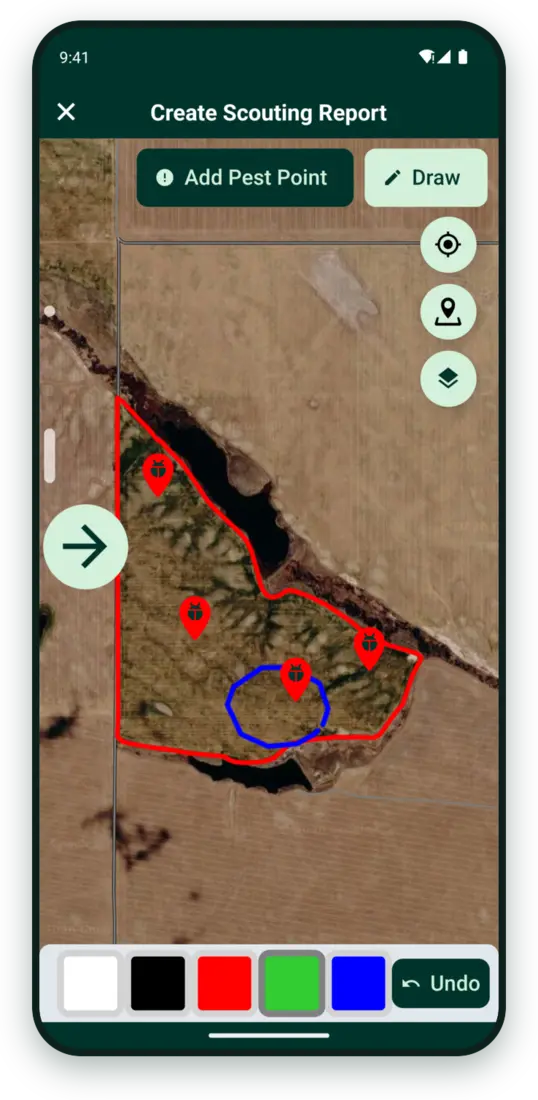
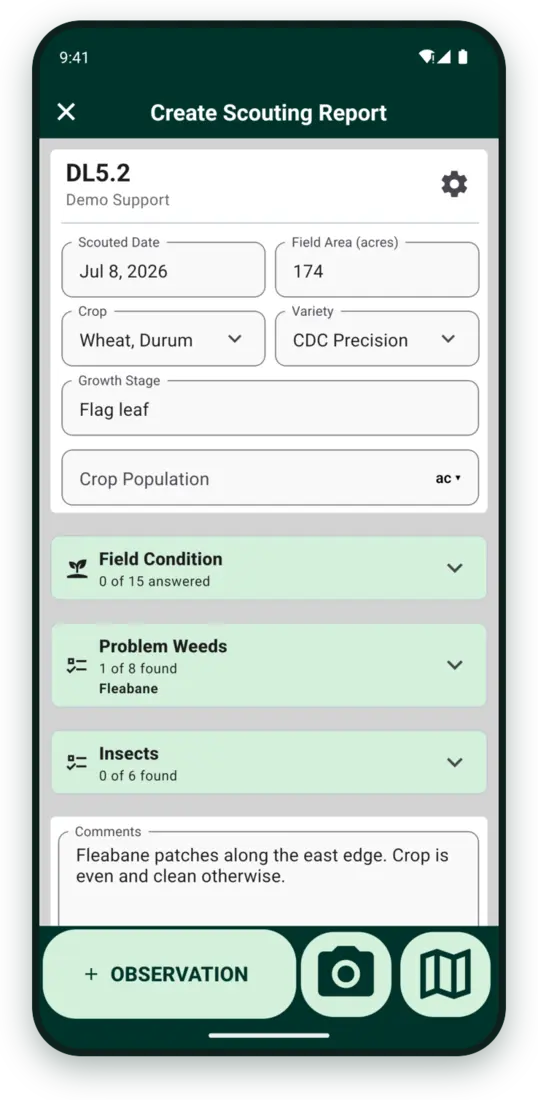
Sound familiar?
- Every scout checks for different things and writes it up their own way, so no two reports compare, and you rewrite them at night before they go to growers.
- You can't tell which fields got scouted this week without phoning around.
- A scout leaves at the end of the season and their notes go with them.
- Scouts text you photos with no field name, and you piece together where each one was taken.
Your standard, on every report
Built by agronomists, for whoever signs off on the work: the owner or the agronomy manager.
Same form, every scout
Set up your forms once: the pests you watch for, your own questions, and crop-specific forms that come up automatically. Send a photo of your paper form and the assistant builds it. Every scout fills in the same thing, and every report comes out with your logo, photos and recommendation.
Review before it's sent
Scouts submit reports for review. You check, add the recommendation and send. Nothing reaches a grower you haven't seen.
See what's been scouted
Filter fields by grower, crop or days since last scouted, with the acres added up. Every visit stays with the field, not with the scout.
One standard, every scout
Bring your fields in from John Deere Operations Center or Shapefiles, add your scouts, and limit each one to the growers they cover. Then:
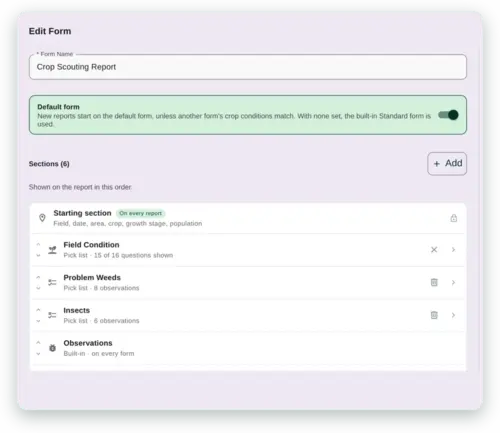
1Set the form once
Pick the pests and questions every scout covers, or send a photo of your paper form and the assistant builds it.
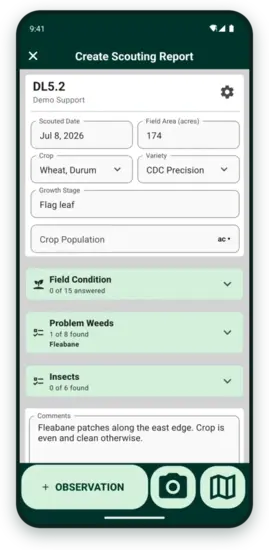
2Scouts fill it in
Every scout checks the same things, with photos and locations. No signal needed.
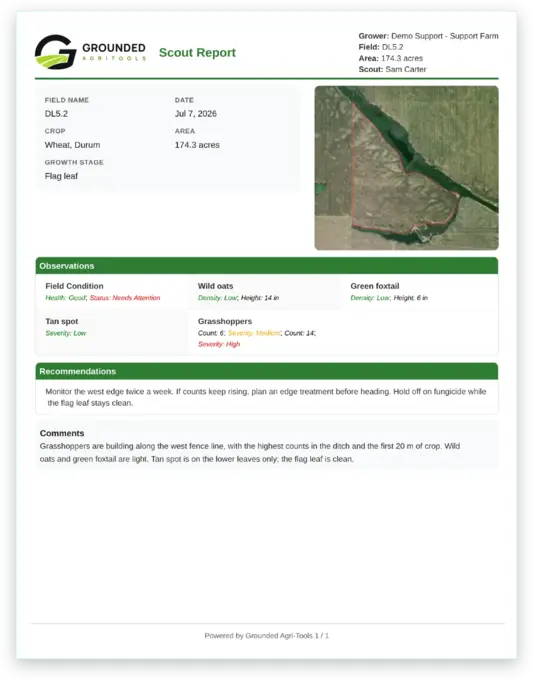
3You review, then send
Reports wait for your review. Add the recommendation, and the grower gets a clean PDF with your logo.
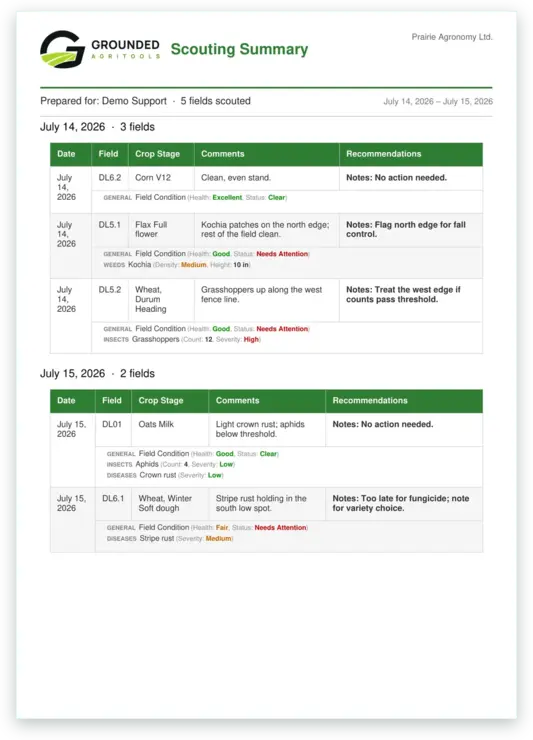
4One summary from your business
Batch the season into one colour-coded PDF, whoever walked each field.
One summary, whoever walked the field
Your scouts each send their visit reports. The grower gets one summary from your business: their fields and visits batched into a single PDF, grouped by date or by field, with your logo, photos and recommendations. Every finding is colour-coded by severity, so growers see what matters at a glance.
Weekly through the season or once at the end, it shows the grower all the work your team did for them.
Add your growers to GroundedAg at no cost. They get their own login to see their fields, every report and your recommendations, any time. It's read-only for them: the only things they can change are details like their crop information, so your team's reports stay exactly as you sent them.
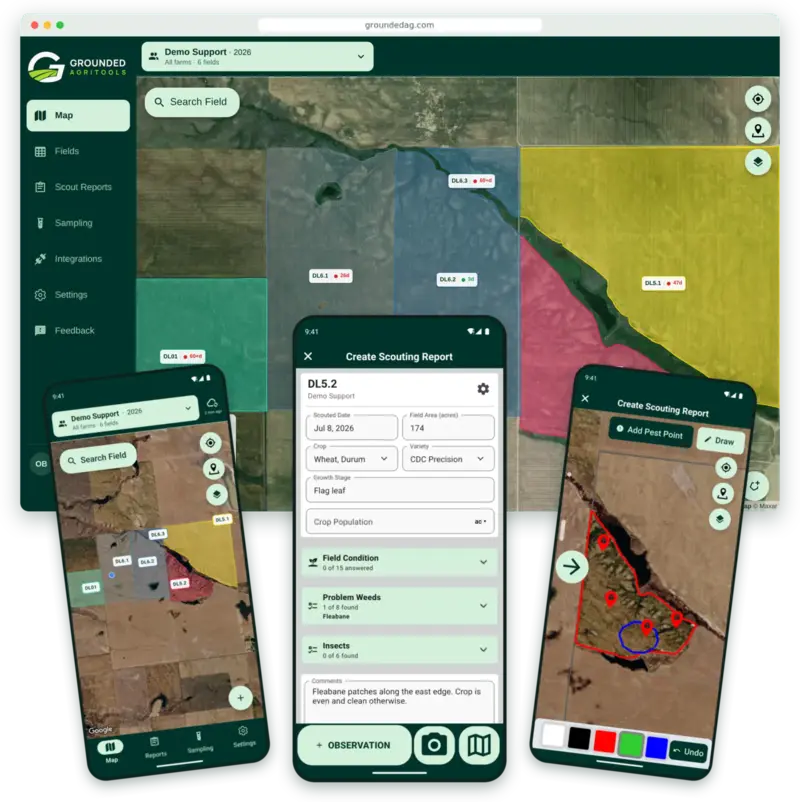
NEW Soil and tissue sampling, in the same app. Lay out grid points or zones on a field, walk to each point with your phone, and record it as you go. It's new, and we'd love your feedback: tell us what you'd want from it.
From agronomists using it
"It kept scouting reports all in one location, they were easy to go back on. All scouting reports could be put on to one pdf for the grower."
"The reporting is a big win. It's quick to complete scouting reports in the field, and the final product looks clean and professional when sent to clients."
Questions owners ask
How do licenses work for a team?
Your organization comes with one license, and you add a license per scout or agronomist. Scouts can record and submit reports; agronomists can do everything. See pricing, or talk to us about a team setup.
Can we use our own scouting form?
Yes. Build forms from the pests you watch for and your own questions, with crop-specific forms that come up automatically. Describe your current form, or attach a photo or PDF of it, and the assistant builds it. Every scout then fills in the same form.
Can I limit what each scout sees?
Yes. Limit each person to the growers and farms they cover.
Does it work without cell service?
Yes. Scouts can start and fill in reports with no signal. They sync as soon as they're back in range.
Do my growers pay anything?
No. You share the PDFs with them, and you can add them at no cost with a read-only login to see their fields, your reports and recommendations. They can update details like their crops, but never change your team's reports.
Who owns the data?
Your business does, not the scout and not us. We never sell it, reports export as PDFs and fields to CSV, and we'll delete it if you ask.
Message us any time
You'll reach the people who build GroundedAg, not a support queue. Leave your number and we'll call you back. Whatever the problem, we'll stay on it until it's sorted out. We'll also help set up your team.
Email admin@groundedag.com or send us a message.
Book a free setup call and we'll bring in your fields and walk through your first report together.
Try it with one scout and one grower
See the first reviewed report go out this week.