
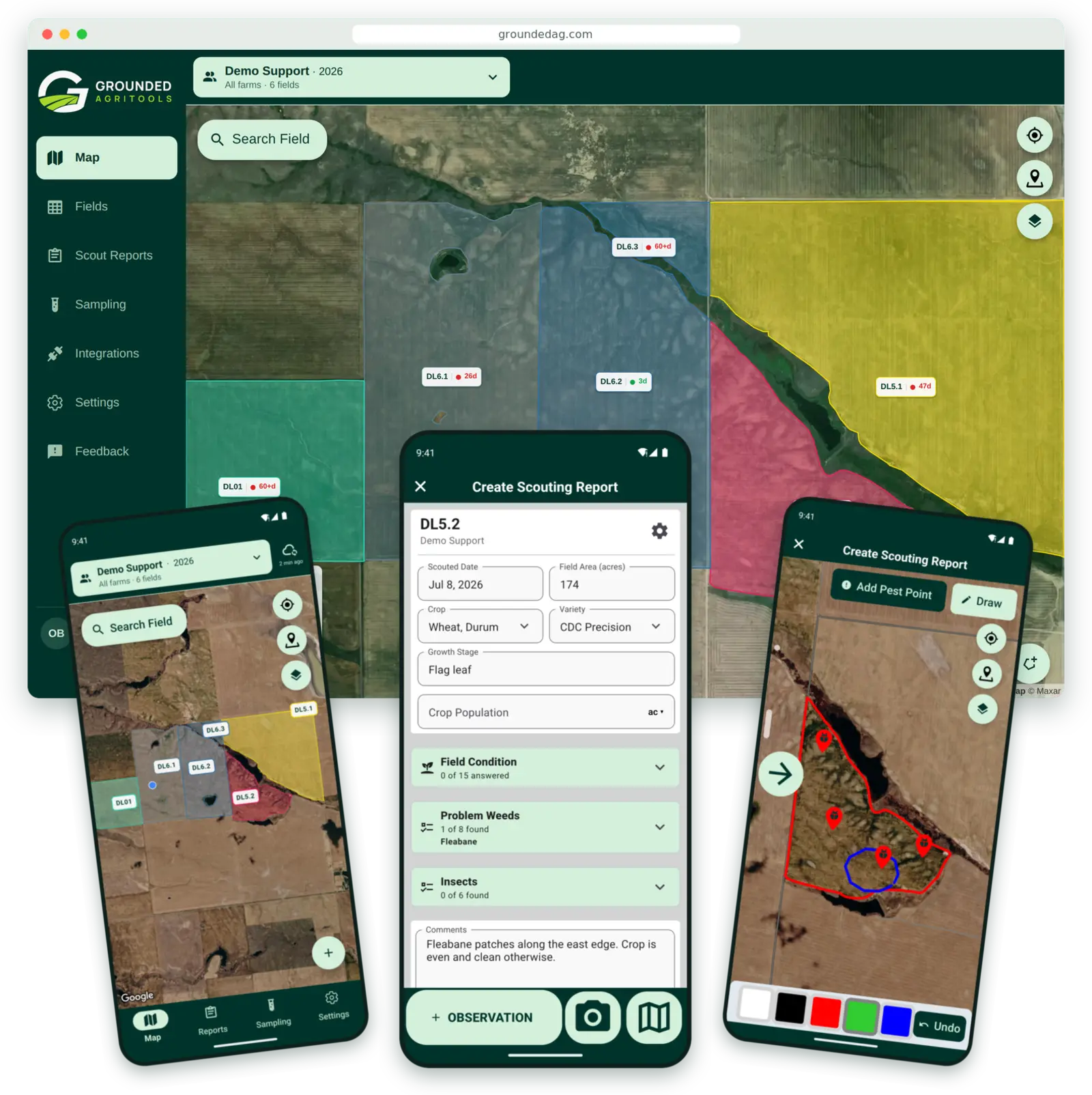
Scouting reports, done simply.
Walk the field, record what you see, and send your grower a clean report before you're back in the truck.


Prefer a bigger screen? Grounded also runs in any web browser. Sign in on the web →
What agronomists are saying
"The reporting is a big win. It's quick to complete scouting reports in the field, and the final product looks clean and professional when sent to clients. The ability to upload photos and geo-reference problem areas adds real value."
"It kept scouting reports all in one location, they were easy to go back on. All scouting reports could be put on to one pdf for the grower"
What's in the app
The tools you use every day, on your phone and on the web.
Scouting
Record weeds, insects, disease and general notes as you walk, with photos and locations.
Reports
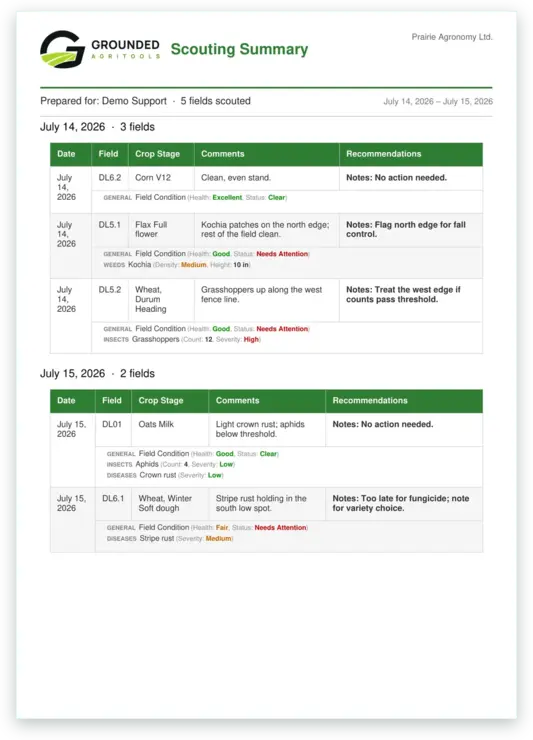
Send reports one at a time, or batch a day, a week or a season into one PDF.
Your fields
Import Shapefiles or John Deere Operations Center boundaries, or draw them on the map.
Map notes
Draw on the field map to mark problem areas.
Works offline
Keep scouting with no signal. Everything syncs when you're back in range.
Your team
Everyone works from the same growers, fields and reports, on any device.
Soil samplingNEW
Composite, grid and zone sampling. Walk to each point and record it on your phone.
Recommendations & tank mixes
Flexible recommendations and handy tank mixes for putting together treatment plans.
Your branding
Upload your logo once and it goes on every report you send, single visits and batches alike.
Made for the field, not the office
Scouting happens outside, in the wind, with mud on your hands. We kept Grounded simple and built it to be used there.
- Big buttons you can hit with dirty fingers or gloves on
- Made to use one-handed while the other hand is busy
- No setup screens or templates between you and the report
How it works
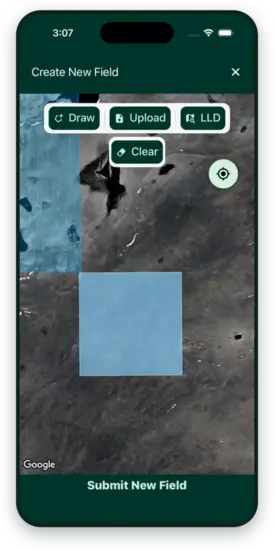
Step 1: Bring in your fields
Import Shapefiles or John Deere Operations Center boundaries, or draw them on the map.
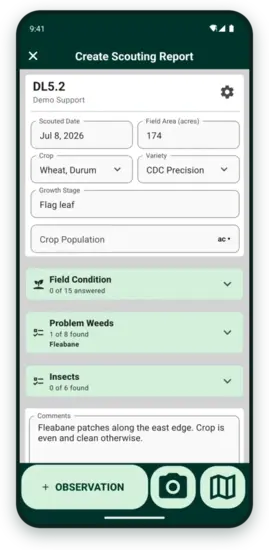
Step 2: Scout on your phone, even offline
Record what you see, take photos and pin locations. No signal needed.
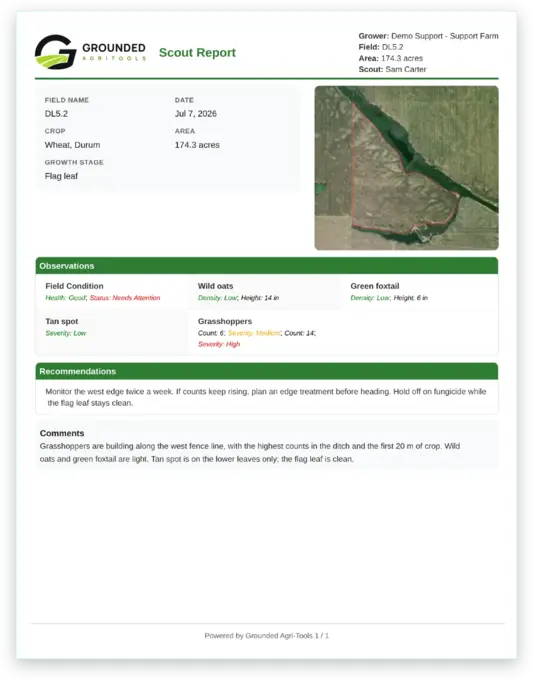
Step 3: Send the report
Send the grower a clean PDF, or batch several visits into one.
A video walkthrough is on the way
Upload a field, scout it on your phone, and send the report, start to finish. Want to see it sooner? We'll walk you through it live.
Batch your reports into one PDF
Package up the last few days, the week, or the whole season as a single summary, so the grower gets one document instead of a stack of emails.
- Pick a grower and the reports to include
- Group it by date or by field
- Include photos, and your logo on every page
- Every finding colour-coded by severity, so growers read it in seconds
Grows with your operation
Start on your own, then add people as the acres grow.
Seats for every role
Add scouts and agronomists as you grow. Scouts submit reports for review before anything goes to the grower.
Access by grower
Limit each person to the growers and farms they cover.
Hundreds of fields, one list
Filter fields by grower, crop or days since last scouted, with the acres added up for you.
Free for your growers
Share the PDF with your growers, or give them their own read-only login to see their fields and your recommendations, at no extra cost.
Who uses Grounded
From one-person consultancies to classrooms.
Independent agronomists →
Scout, report and send clean PDFs to your clients from one app, on a single license.
Retail & agronomy teams →
Add scouts and agronomists, review reports before they go out, and keep every grower in one place.
Farms & colonies →
Scout where there's no signal. Reports save on the phone and sync when you're back in range.
Education
Classroom accounts for agronomy programs, with each student scouting their own grower.
Why Grounded
We've done the job ourselves. Grounded is built around how scouting actually works.
- No templates or setup. Add a field and start scouting.
- Works offline and syncs when you're back in range
- Send reports one by one, or batch them into a single PDF
- iOS, Android and the web
- Your whole team on the same data
- Share with your growers at no cost
- Priced for independent agronomists as well as teams
Your data stays yours
- We never sell your data
- Card details are handled by our payment processor; we never store them
- You decide who sees what, with roles for scouts and agronomists and access limited by grower
- Ask any time and we'll give you a copy of your data, or delete it
Common questions
Does it work without cell service?
Yes. You can start and fill in scouting reports with no signal. They're saved on your phone and sync as soon as you're back in range.
Who owns my data, and can I export it?
Your data is yours, and we never sell it. Reports export as PDFs, and your fields list exports to CSV. If you ever want your data removed, contact us and we'll delete it.
How do I bring in my fields from John Deere Operations Center or Shapefiles?
Upload a Shapefile, or connect your John Deere Operations Center account and pick the fields to import. You can also draw a boundary on the map, or search by legal land description.
What does a grower see when I share a report?
A clean PDF with your observations, photos, locations and recommendations, with your logo on it. Growers can also have their own free, read-only login to see their fields and your recommendations.
Can I try it before I buy, and how do I cancel?
Yes. GroundedAg is free on up to 5 fields, with no time limit and no credit card. Once you pay, you can cancel any time from the licenses page in Settings, and you keep access until the end of the period you've paid for.
Do you offer discounts for teams or schools?
Talk to us. We work with teams of all sizes and with agronomy programs, and we'll find a setup that fits.
Message us any time
You'll reach the people who build GroundedAg, not a support queue. Leave your number and we'll call you back. Whatever the problem, we'll stay on it until it's sorted out.
Email admin@groundedag.com or send us a message.
Book a free setup call and we'll bring in your fields and walk through your first report together.
Try it on your next field.
Start free on up to 5 fields, or talk to us about setting up your team.